
Share this
by Omnidots on Feb 10, 2026, 8:54:14 AM
Stop typing the same emails twice.
Manual data entry is the enemy of efficiency. It is repetitive, boring, and prone to error. With the new Address Book feature, Honeycomb takes the friction out of your report distribution.
The Address Book
This is a centralized contact management system within Honeycomb. It allows you to store and organize email addresses and phone numbers for your report recipients in one place. Instead of manually entering contact information every time you configure a report, you can now select recipients from your saved contacts with just a few clicks.
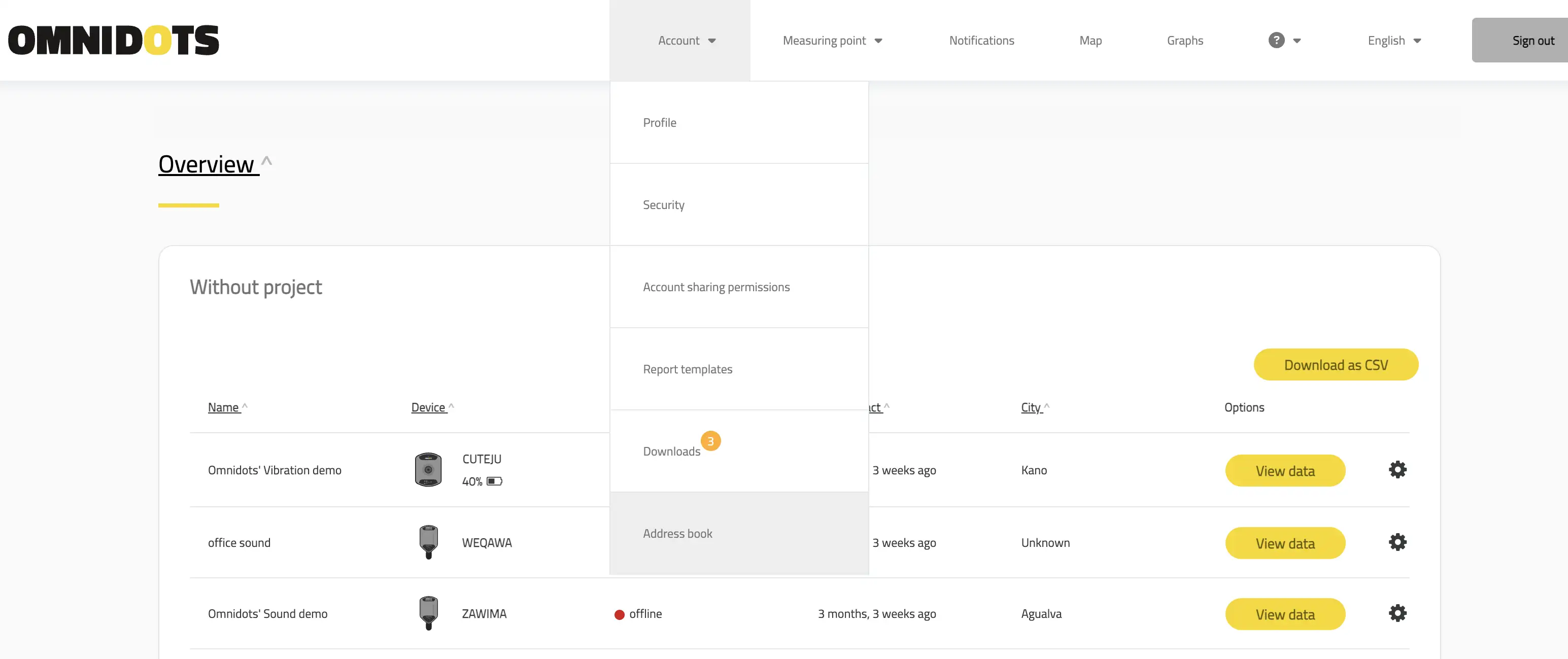
You can find your new centralized Address Book directly in the main menu.
We know that setting up a new project often involves configuring dozens of reports. Typing out the same list of stakeholders—project managers, city officials, engineers—for every single report isn't just a waste of time; it’s a risk. One typo means a critical alert doesn't reach the right person.
The Address Book solves this by giving you a centralized "Source of Truth" for your contact data.
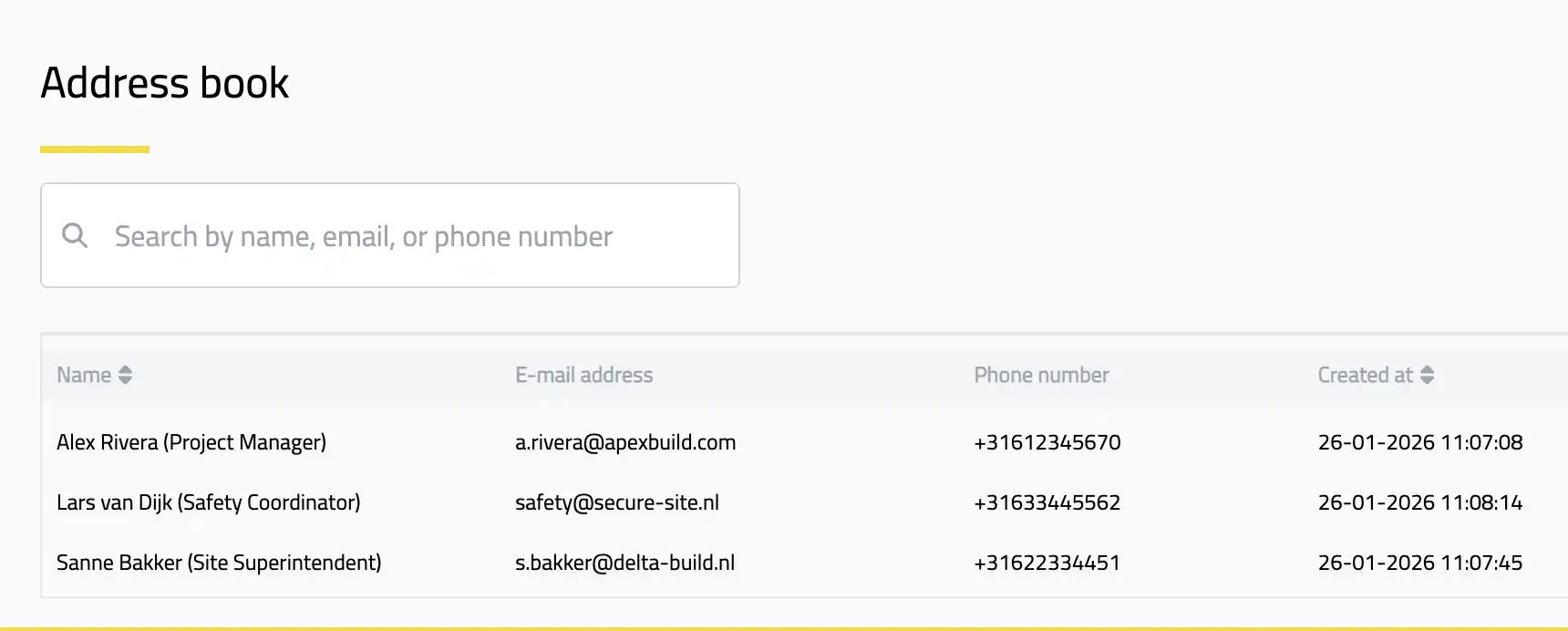
Build your library once. Manage names, emails, and phone numbers in one clean list.
Streamline your daily operations
The Address Book delivers specific advantages that speed up your workflow:
-
Faster Report Configuration
Setting up daily and weekly reports is now much quicker. No more typing the same e-mail addresses over and over. You simply select the recipient from your Address Book rather than entering details manually each time.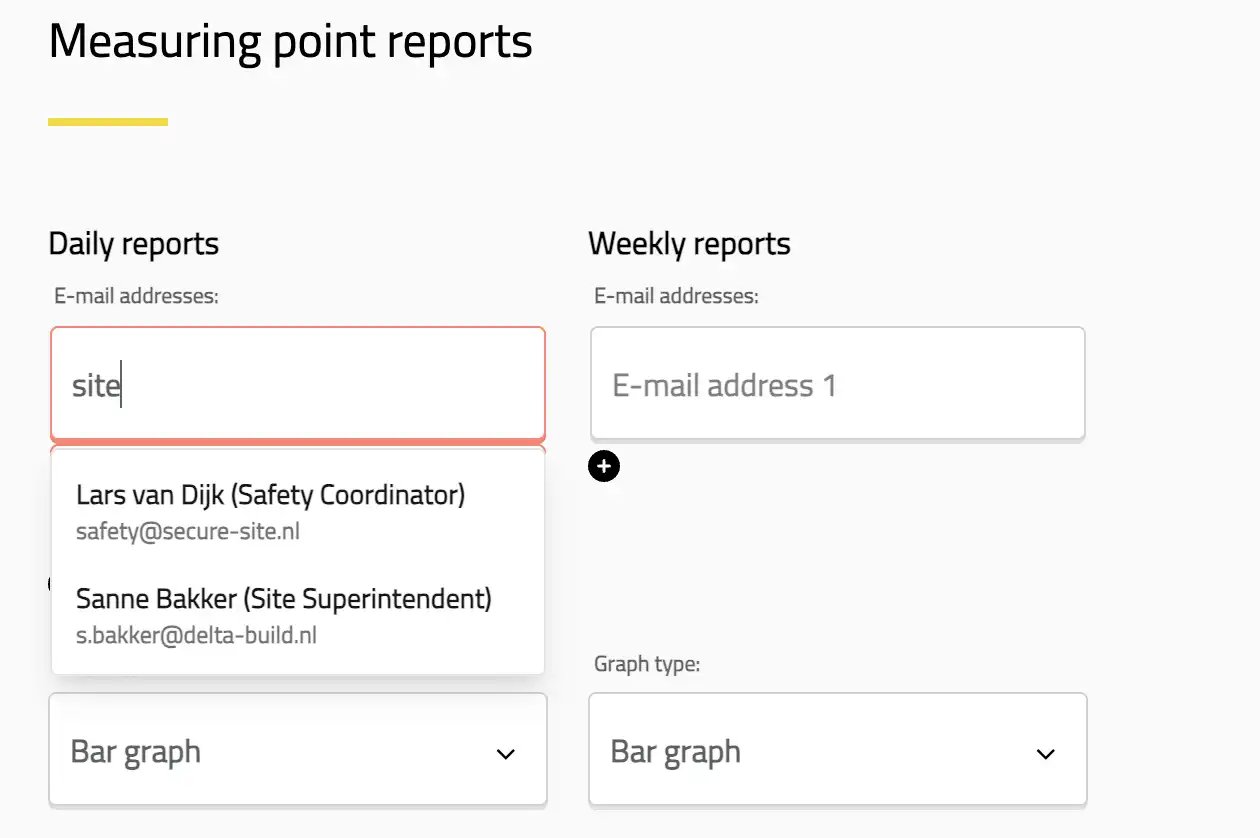
Just click the e-mail box, and your saved contacts appear instantly. No typing required.
-
Fewer Errors
Eliminate the typos and incorrect e-mail addresses that cause reports to fail or reach the wrong people. By saving a contact once, you ensure your recipient data is always accurate. - Flexible and fast
Starting from scratch? You don't need to populate the whole Address Book before you start working. You can add new contacts on the fly, directly within your workflow.
If you are setting up a report and realize a contact is missing (or your list is empty), simply click "Create new contact."
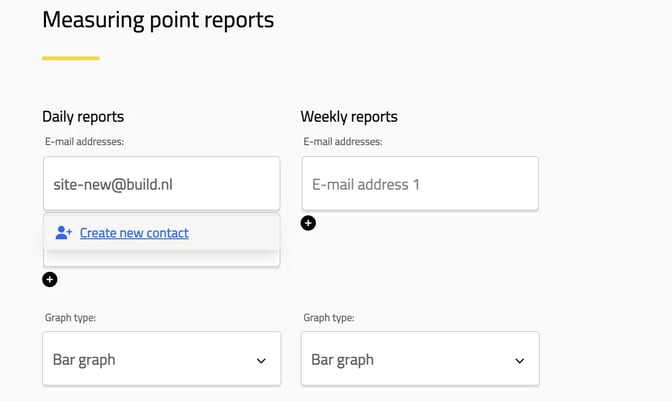
If a contact isn't in your list yet, add them immediately without leaving the page.
A simple window will pop up, allowing you to save their details permanently to the Address Book while you work.
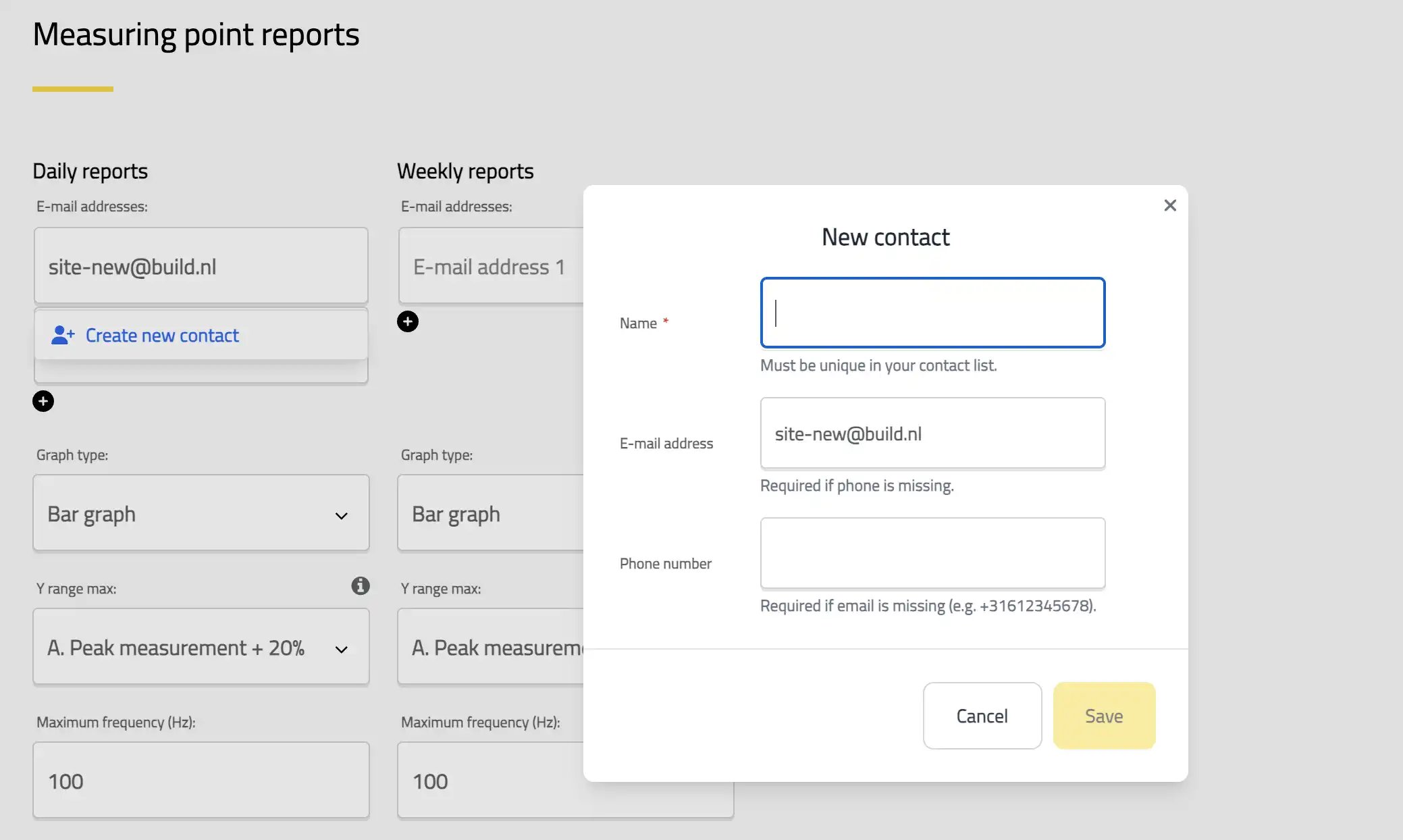
Add the details once, and they are available for all future projects.
Multi-phase rollout
We are rolling out the Address Book in phases to ensure it integrates smoothly with your existing data.
- Available Now: You can currently use the Address Book to add contact information to streamline your Daily and Weekly Report configurations. We started here because this is where recipient lists are most complex and time-consuming to manage.
- Coming Soon: We are actively working on extending this functionality
to other areas of Honeycomb, including:
- Configuration pages where e-mail addresses or phone numbers are required
- Alarm and notification settings
- Project-level contact management
- Additional reporting features as they're developed
Once the multi-phase rollout is complete, you can update a contact's information once in the Address Book, and all linked reports will automatically use the new details.
Get Started
The Address Book is live in Honeycomb today. Log in to your account our try a Honeycomb demo account.
To start building your library, navigate to the Reports configuration page. You can add new contacts on the fly or build your list in advance.