
Share this
by Omnidots on Feb 2, 2026, 8:31:43 AM
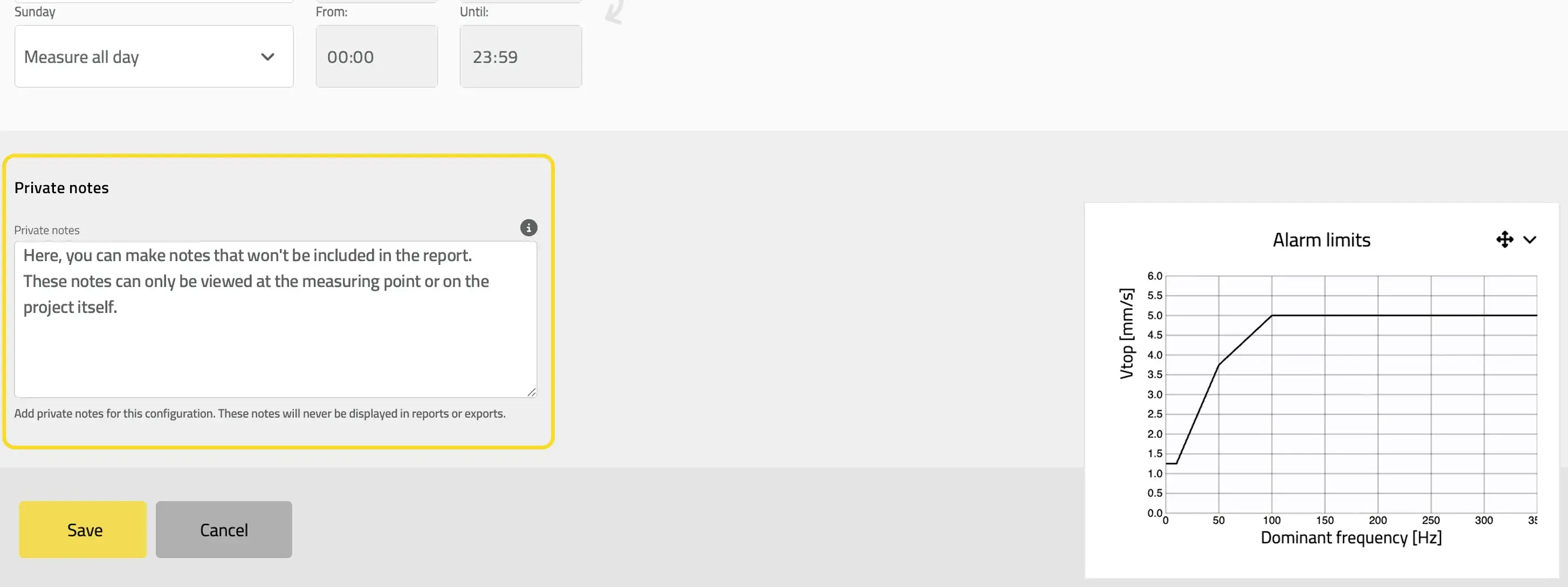
Keep your team in sync, without cluttering your reports.
You shouldn't have to search through emails or rely on memory to understand why a configuration changed or why a sensor was moved. You need a place to leave context for your team, context that doesn't belong in a formal client report.
The new Private Notepad feature gives you a dedicated space for internal communication directly within each measuring point.
What Are Private Notes?
Context where you need it
Located at the bottom of the configuration page, Private Notepad lets you and your team leave important information, observations, reminders, and logs right next to the data they relate to.
Strictly internal
Anything you write in the Notepad is visible only to users with configuration access. It will never appear in data exports, PDFs, or client-facing reports.
How to use Notepad to improve your workflow
-
Log site changes: "Moved sensor to back wall due to scaffolding work on 01/20."
-
Explain configurations: "Adjusted settings for nearby demolition work."
-
Track hardware: "Swapped SWARM #1234 for #5678 for calibration."
Stop guessing why something happened on site. Leave a note, keep your team aligned, and keep your client reports clean.